
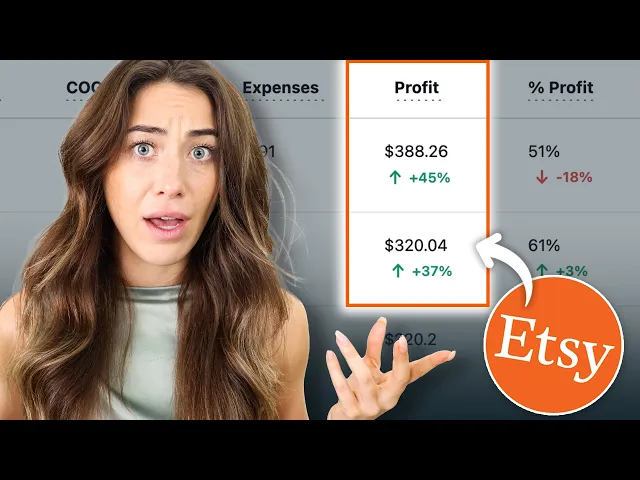
Most Etsy sellers think they know their profit.
In reality, they are often looking at revenue—not profit.
To calculate true Etsy profit, you must account for Etsy transaction fees, listing fees, payment processing fees, shipping costs, advertising spend, refunds, and Cost of Goods Sold (COGS).
This guide explains exactly how Etsy profit is calculated, why most sellers get it wrong, and how ProfitTree automatically calculates real-time Etsy profitability without spreadsheets.
Quick Answer: How Do You Calculate True Etsy Profit?
True Etsy Profit Formula
Many Etsy sellers only subtract product costs from revenue.
This creates an inaccurate picture of business performance because Etsy fees and advertising costs can significantly reduce profit margins.
Key Takeaways
Etsy revenue is not the same as Etsy profit.
Most sellers underestimate fees and expenses.
Etsy Ads and Offsite Ads directly impact profitability.
Cost of Goods Sold (COGS) must be included in profit calculations.
ROAS measures advertising performance but does not measure profit.
Break-Even ROAS determines whether ads are profitable.
ProfitTree automatically calculates real profit using Etsy transaction and cost data.
Why Etsy Profit Is Hard to Calculate
Etsy provides sales reporting, but profit data is scattered across multiple reports.
To calculate actual profit, sellers often need to combine information from:
Orders
Etsy transaction fees
Listing fees
Payment processing fees
Shipping charges
Etsy Ads
Offsite Ads
Refunds
Product costs
Marketing expenses
As order volume increases, manually combining this data becomes increasingly difficult.
Most sellers eventually end up managing multiple spreadsheets and still struggle to determine their actual profit margins.
Example: Revenue vs Profit on Etsy
Many Etsy sellers assume a $30 sale generates $20 profit if the product costs $10.
The reality is very different.
Etsy Order Example
Item | Amount |
|---|---|
Sale Price | $30.00 |
Product Cost | -$10.00 |
Shipping Cost | -$4.00 |
Etsy Transaction Fee | -$1.95 |
Payment Processing Fee | -$1.15 |
Listing Fee | -$0.20 |
Offsite Ads Fee | -$3.00 |
Net Profit | $9.70 |
Assumed Profit
Actual Profit
The seller believed they earned $20.
Their actual profit was less than half that amount.
What Is ProfitTree?
ProfitTree is an Etsy profit tracking platform that automatically calculates real profitability.
Instead of manually combining reports and spreadsheets, ProfitTree automatically syncs:
Etsy Orders
Etsy Fees
Advertising Costs
Refunds
Adjustments
Product Costs
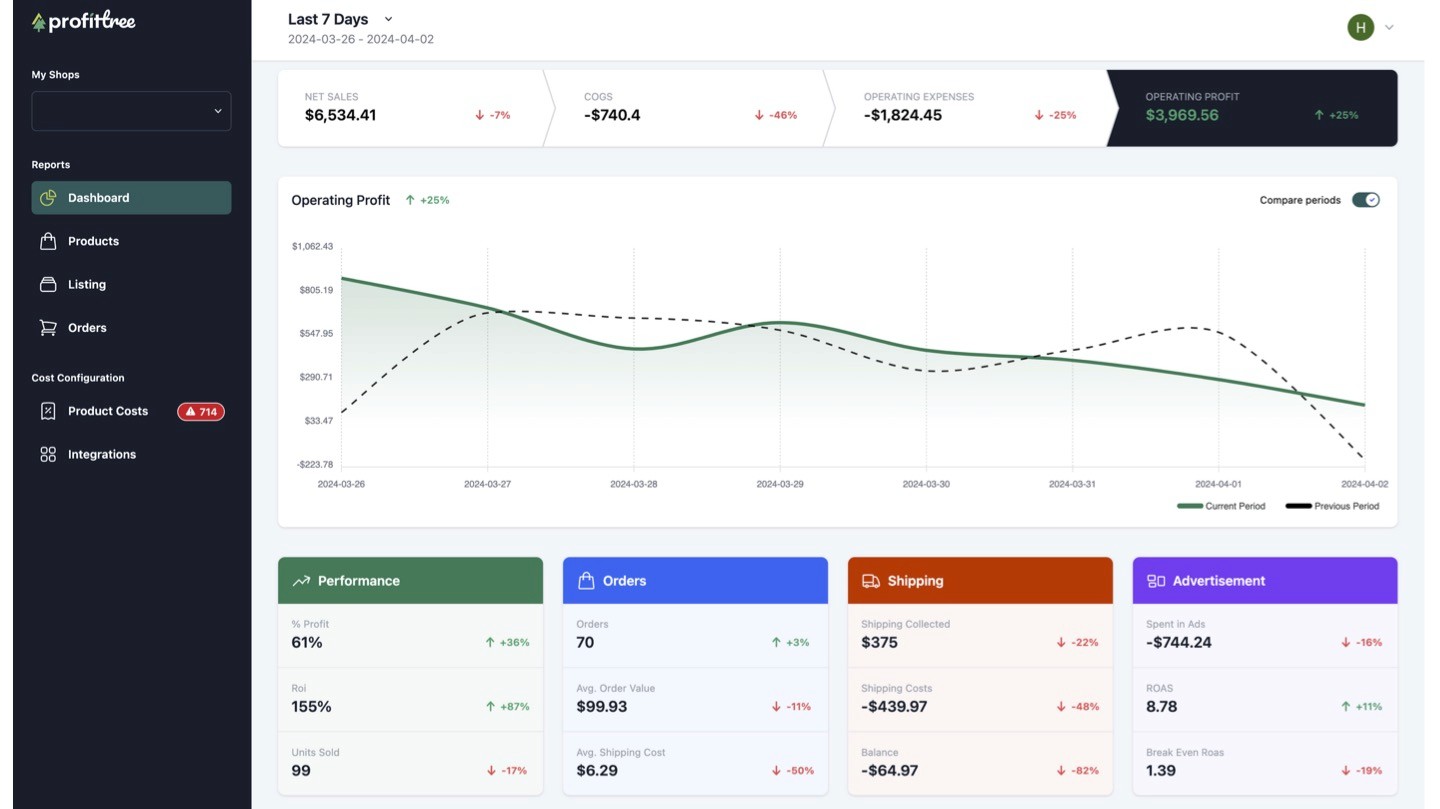
The result is a real-time profit dashboard that helps Etsy sellers understand exactly how much money they are making.
How ProfitTree Calculates Etsy Profit
Step 1: Connect Your Etsy Shop
ProfitTree securely connects to Etsy and automatically imports:
Orders
Fees
Advertising spend
Refunds
Transaction history
This creates a centralized financial dataset for your Etsy business.
Step 2: Add Product Costs (COGS)
What Is COGS?
COGS stands for Cost of Goods Sold.
Examples include:
Manufacturing costs
Materials
Supplier costs
Packaging
Production expenses
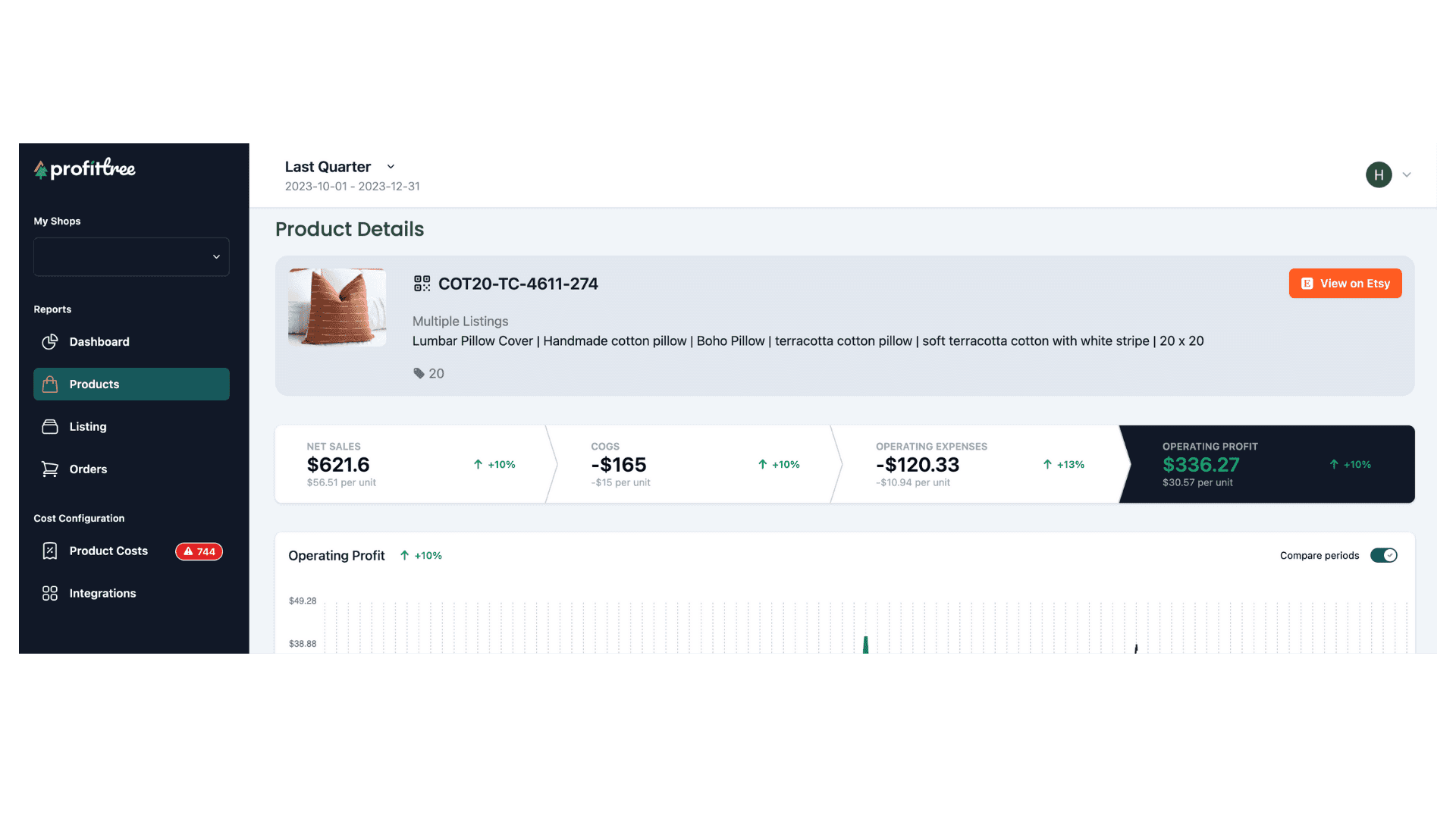
Without COGS, profit calculations are incomplete.
ProfitTree matches product costs against every sale automatically.
Step 3: Sync Printify and Printful Costs
Print-on-Demand sellers often struggle to maintain accurate product costs.
ProfitTree integrates with:
Printify
Printful
This automatically imports product costs and reduces manual bookkeeping.
Step 4: Maintain Historical Cost Accuracy
Supplier costs change over time.
Shipping costs change.
Production costs increase.
ProfitTree stores historical cost data so older orders continue using the correct costs while future orders use updated pricing.
This creates more accurate profitability reporting.
What Is ROAS?
ROAS stands for Return On Ad Spend.
It measures how much revenue is generated for every dollar spent on advertising.
ROAS Formula
Example
A ROAS of 5.0 means every $1 spent on ads generated $5 in revenue.
What Is Break-Even ROAS?
Break-Even ROAS represents the minimum advertising performance required to avoid losing money.
Example
This means:
Below 1.25 = losing money
Above 1.25 = profitable
Understanding Break-Even ROAS helps Etsy sellers scale profitable campaigns while reducing wasted ad spend.
Why Revenue Can Be Misleading
Many Etsy sellers focus on revenue instead of profit.
This can lead to poor business decisions.
For example:
Product | Revenue | Profit |
|---|---|---|
Product A | $10,000 | $1,000 |
Product B | $4,000 | $1,800 |
Most sellers would focus on Product A because it generates more sales.
However, Product B produces significantly more profit.
ProfitTree helps identify products that generate the highest profit—not simply the highest revenue.
Benefits of Tracking Etsy Profit Automatically
Save Hours Every Month
Eliminate manual spreadsheets and report reconciliation.
Improve Pricing Decisions
Understand exactly how Etsy fees affect margins.
Optimize Advertising
Track ROAS and Break-Even ROAS accurately.
Identify Hidden Profit Opportunities
Discover which products generate the highest profit margins.
Make Better Business Decisions
Use real profitability data instead of estimates.
Who Should Use ProfitTree?
Etsy Print-On-Demand Sellers
Automatically sync Printify and Printful product costs.
Handmade Product Sellers
Track material costs, labor costs, and margins accurately.
Growing Etsy Shops
Manage profitability across hundreds or thousands of listings.
Data-Driven Ecommerce Businesses
Monitor profit, margins, advertising performance, and product-level profitability.
Frequently Asked Questions
How do you calculate true Etsy profit?
True Etsy profit equals revenue minus Etsy fees, payment processing fees, shipping costs, advertising expenses, refunds, and product costs.
What expenses should Etsy sellers track?
Important expenses include:
Etsy transaction fees
Listing fees
Payment processing fees
Etsy Ads
Offsite Ads
Shipping costs
Product costs (COGS)
Refunds
Packaging expenses
Marketing expenses
Does Etsy calculate profit automatically?
No.
Etsy primarily reports revenue and sales activity.
Sellers must combine multiple reports and cost information to determine actual profit.
What is a good ROAS for Etsy Ads?
A good ROAS depends on your profit margins.
The most important benchmark is whether your ROAS exceeds your Break-Even ROAS.
What is COGS?
COGS stands for Cost of Goods Sold.
It includes all direct costs associated with producing or sourcing a product.
Examples include materials, manufacturing, packaging, and supplier costs.
Can ProfitTree track Printify and Printful costs?
Yes.
ProfitTree automatically syncs product costs from both Printify and Printful to improve profitability accuracy.
Is ProfitTree suitable for large Etsy shops?
Yes.
ProfitTree is designed for both small Etsy sellers and high-volume stores managing large product catalogs.
Final Thoughts
Calculating Etsy profit is more complex than subtracting product costs from revenue.
To understand business performance accurately, Etsy sellers need visibility into:
Etsy Fees
Advertising Costs
Shipping Costs
Product Costs
Refunds
Profit Margins
ROAS
Break-Even ROAS
ProfitTree automates these calculations and provides a real-time view of true Etsy profitability.
Instead of relying on spreadsheets and estimates, sellers can make decisions based on accurate profit data.
Ready to Calculate Your True Etsy Profit?
Connect your Etsy shop, sync your product costs, and see exactly how much profit your business generates after every fee, expense, and advertising cost.

